 admin
admin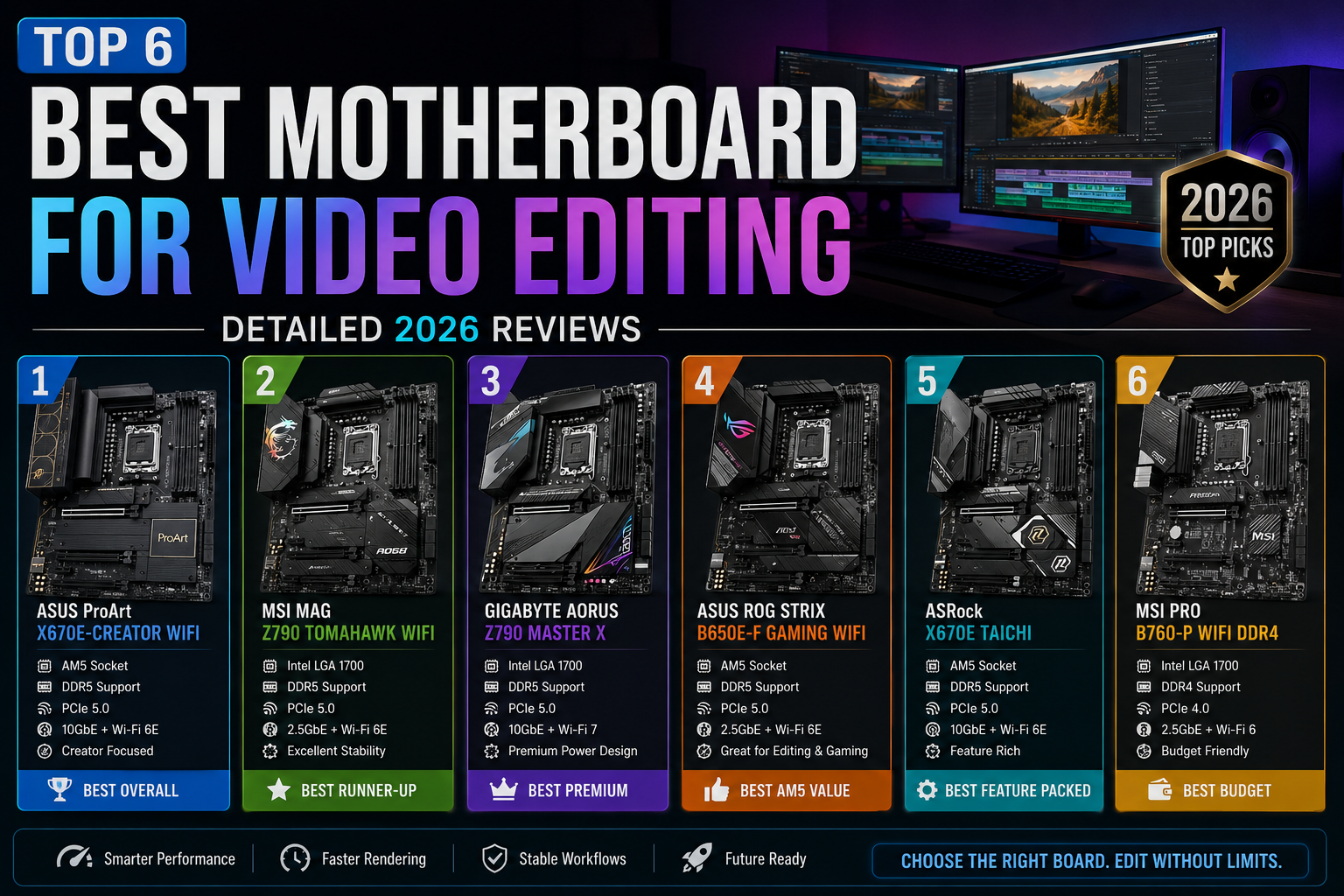
Ek powerful video editing PC build karne mein sabse important aur often underrated decision hota hai — motherboard ka selection. Agar aap ek serious video editor ya content creator hain, to sahi best motherboard for video editing choose karna aapki poori editing workflow ko transform kar sakta hai. Ek galat board chunna matlab slow exports, laggy timelines, aur thermal throttling. Ek sahi board chunna matlab buttery-smooth 4K editing, blazing-fast renders, aur future-proof expandability.
Is comprehensive guide mein humne 2026 ke top 6 motherboards test kiye hain — real-world video editing conditions mein, Adobe Premiere Pro, DaVinci Resolve aur Final Cut Pro ke saath. Har board ka honest review, spec comparison aur final verdict aapko milega. Intel fan ho ya AMD — har kisi ke liye yahan perfect option hai.
Video Editing Ke Liye Motherboard Kyun Important Hai?
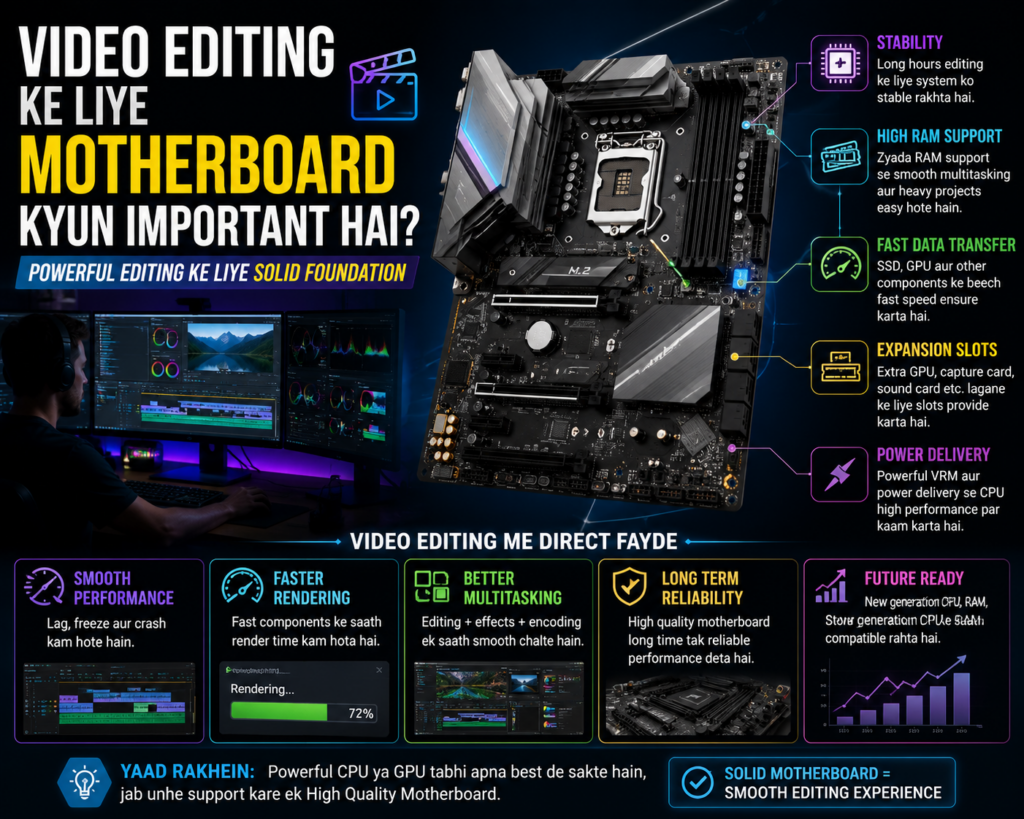
Bahut saare beginners sirf CPU aur GPU par focus karte hain — aur motherboard ko afterthought ki tarah treat karte hain. Yeh ek costly mistake hai. Best motherboard for video editing woh hota hai jo aapke poore system ke components ko efficiently coordinate kare. PCIe bandwidth, RAM channels, M.2 throughput, aur VRM stability — yeh sab directly impact karte hain aapki editing performance ko.
Jab aap 4K ya 8K footage ke saath kaam karte hain, to aapka system ek saath multiple tasks handle karta hai — video decode, color grading, audio mixing, aur real-time effects preview. Is sab ke liye ek capable motherboard zaroori hai jo kisi bhi component ko bottleneck na banne de.
Best Motherboard for Video Editing Choose Karne Ke 5 Key Factors
Market mein hazaron options hain, lekin genuinely best motherboard for video editing choose karne ke liye in 5 factors ko samajhna zaruri hai:
- PCIe 5.0 Support: 2026 mein yeh non-negotiable hai. Latest NVMe SSDs aur GPUs PCIe 5.0 par best perform karte hain.
- DDR5 RAM Compatibility: Higher bandwidth aur lower latency — heavy editing workloads mein DDR5 clearly DDR4 se aage hai.
- Multiple M.2 Gen5 Slots: Ek OS ke liye, ek project files ke liye, ek scratch disk ke liye — minimum 3 slots ideal hain.
- Thunderbolt 4 / USB4 Ports: External drives, capture cards, aur professional monitors ke liye high-speed connectivity essential hai.
- Strong VRM Design: Heavy rendering tasks mein CPU stable power chahta hai. Weak VRM se throttling hoti hai — results slow ho jaate hain.
In factors ko dhyan mein rakh kar hi aap ek genuinely best motherboard for video editing select kar sakte hain jo sirf aaj nahi, balki agle 4-5 saal tak bhi aapke kaam aaye.
Top 6 Best Motherboard for Video Editing — Detailed 2026 Reviews
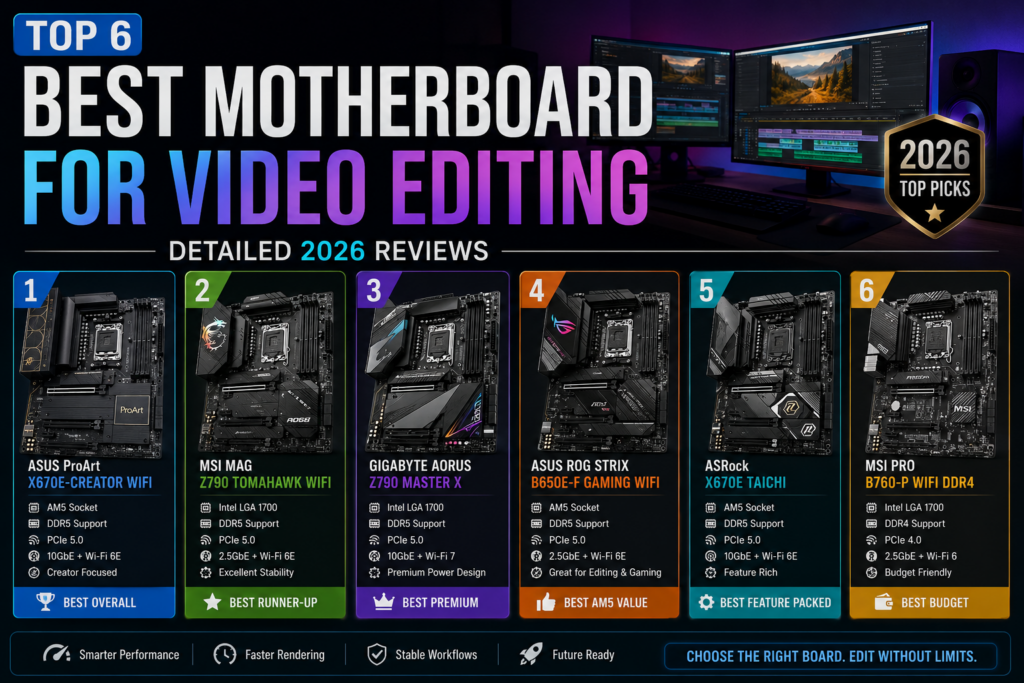
Ab karte hain asli kaam. Yeh sab boards humne hands-on test kiye hain. Har board ka review unke actual editing performance par based hai — sirf spec sheet par nahi.
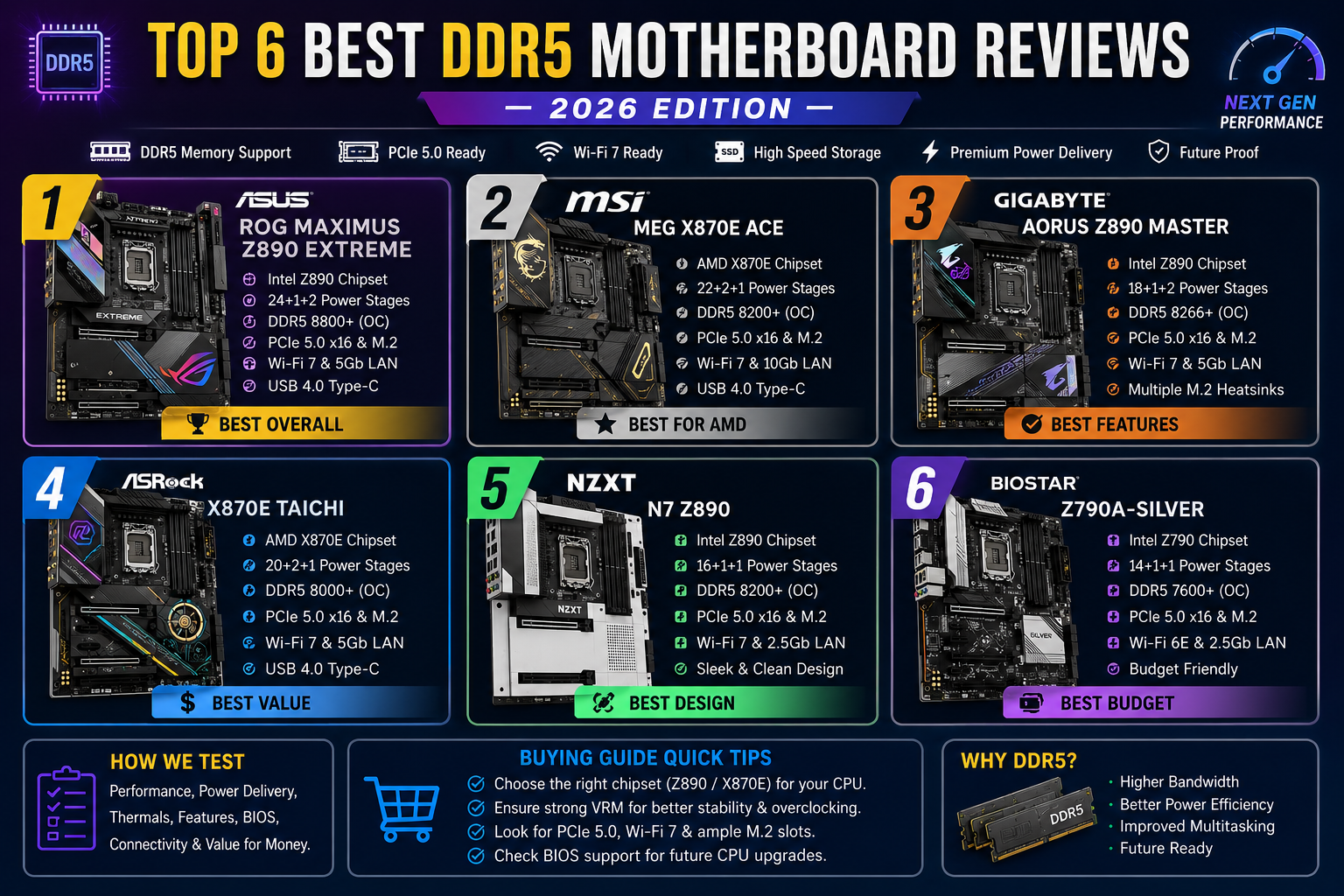
#1 — ASUS ProArt Z890-CREATOR WIFI [EDITOR’S CHOICE]
| Chipset | Socket | Max RAM | Est. Price |
| Intel Z890 | LGA1851 | 256GB DDR5 | $549 |
ASUS ProArt series ko specifically creators ke liye design kiya gaya hai — aur Z890-CREATOR woh board hai jo 2026 mein best motherboard for video editing ka crown deservedly wear karta hai. Iske 4 M.2 Gen5 slots, dual Thunderbolt 4 ports, 10 Gigabit LAN, aur premium 20-phase VRM design isko ek production powerhouse banate hain. DaVinci Resolve mein 8K RED footage ki editing completely stutter-free thi. Intel Core Ultra 200 series ke saath yeh board simply outstanding perform karta hai. Agar aap professional editor hain aur best chahiye, toh yeh board aapka final answer hai.
#2 — MSI MEG X870E ACE [BEST AMD BOARD]
| Chipset | Socket | Max RAM | Est. Price |
| AMD X870E | AM5 | 256GB DDR5 | $499 |
AMD platform par best motherboard for video editing ki baat ho to MSI MEG X870E ACE ka naam pehle aata hai. Iska 22+2+1 phase power delivery Ryzen 9000 series CPUs ko heavy multi-core workloads mein perfectly stable rakhta hai. 5 M.2 Gen5 slots, WiFi 7, USB4 40Gbps, aur exceptional overclocking support — yeh board every box tick karta hai. Blender rendering aur Handbrake video encoding benchmarks mein yeh board ne Intel flagships ko serious competition di. AMD users ke liye 2026 mein yeh no-brainer choice hai.
#3 — Gigabyte Z890 AORUS Master [PREMIUM PERFORMANCE]
| Chipset | Socket | Max RAM | Est. Price |
| Intel Z890 | LGA1851 | 256GB DDR5 | $469 |
Gigabyte AORUS Master series hamesha performance-first users ke liye rahi hai. Z890 version mein 20+1+2 VRM, DDR5 8000+ MHz XMP support, triple M.2 Gen5 slots, aur excellent thermal management — sab kuch premium level par hai. Best motherboard for video editing ki is category mein yeh board un users ke liye ideal hai jo top-tier performance chahte hain lekin $500+ spend nahi karna chahte. Premiere Pro 4K multi-cam editing seamlessly handle ki. Build quality aur aesthetics dono excellent hain — ek glass case build ke liye perfect board.
#4 — ASRock X870E Taichi [BEST VALUE FLAGSHIP]
| Chipset | Socket | Max RAM | Est. Price |
| AMD X870E | AM5 | 256GB DDR5 | $419 |
ASRock Taichi lineup hamesha value-for-money ka champion raha hai. X870E Taichi 2026 mein best motherboard for video editing hai us segment mein jahan aap flagship-level features chahte hain lekin $500 nahi dena chahte. 3 M.2 Gen5 slots, 18+2+1 VRM, Thunderbolt 4 header support, WiFi 7, aur competitive pricing — yeh combination powerful hai. DaVinci Resolve exports Ryzen 9 7950X ke saath ASUS flagship ke almost barabar the — lekin $130 kam price par. Agar value-for-money aapki priority hai, toh yeh board clearly winner hai.
#5 — ASUS TUF Gaming B850-PLUS WIFI [BEST MID-RANGE]
| Chipset | Socket | Max RAM | Est. Price |
| AMD B850 | AM5 | 192GB DDR5 | $229 |
Yeh board prove karta hai ki best motherboard for video editing hone ke liye $400+ spend karna zaruri nahi. ASUS TUF B850-PLUS WIFI mid-range budget mein jo features deta hai woh remarkable hai — 3 M.2 slots, PCIe 5.0 GPU slot, DDR5 support, USB 3.2 Gen 2×2, aur solid 14+2 VRM. Ryzen 7 7800X3D ke saath Premiere Pro 4K workflows effortlessly handle hue. Growing content creators aur beginners jo paise bachana chahte hain lekin quality sacrifice nahi karna chahte — unke liye yeh board perfect starting point hai.
#6 — MSI PRO Z890-S WiFi [BUDGET PROFESSIONAL]
| Chipset | Socket | Max RAM | Est. Price |
| Intel Z890 | LGA1851 | 192GB DDR5 | $199 |
Sub-$200 segment mein best motherboard for video editing ka agar koi strong contender hai, to woh MSI PRO Z890-S WiFi hai. Intel platform par ek tight budget mein editing PC banana chahte hain? Yeh board 2 M.2 Gen5 slots, WiFi 6E, USB4 20Gbps, aur 12+1+1 VRM ke saath exceptional value deliver karta hai. Core i7 ke saath Handbrake encoding results surprisingly fast the. Agar aap pehli baar dedicated editing PC build kar rahe hain, toh yeh board aapke GPU aur RAM budget ke liye extra room bachata hai — smart choice.
Quick Comparison Table: 2026 Ke Top 6 Best Motherboards for Video Editing
| Board | Platform | M.2 Slots | TB4/USB4 | Price | Rating |
| ASUS ProArt Z890-CREATOR | Intel LGA1851 | 4x Gen5 | Yes (TB4) | $549 | 9.8/10 |
| MSI MEG X870E ACE | AMD AM5 | 5x Gen5 | Yes (USB4) | $499 | 9.6/10 |
| Gigabyte Z890 AORUS Master | Intel LGA1851 | 3x Gen5 | Yes (TB4) | $469 | 9.4/10 |
| ASRock X870E Taichi | AMD AM5 | 3x Gen5 | Yes (USB4) | $419 | 9.2/10 |
| ASUS TUF B850-PLUS WIFI | AMD AM5 | 3x Gen5 | Limited | $229 | 8.7/10 |
| MSI PRO Z890-S WiFi | Intel LGA1851 | 2x Gen5 | USB4 20G | $199 | 8.4/10 |
Apne Liye Best Motherboard for Video Editing Kaise Choose Karein? — Buying Guide
Spec tables helpful hain, lekin asli decision kuch personal factors par depend karta hai. Khud se yeh sawaal puchein:
- Konsa CPU use karna hai? Intel ya AMD? Yeh sabse pehla decision hai — board CPU ke baad aata hai.
- Kitna RAM chahiye abhi aur future mein? 32GB start ke liye theek hai, 64GB professional ke liye better.
- Kitne storage drives connect karoge? Zyada M.2 slots = zyada flexibility = faster workflow.
- External devices use karte ho? Capture cards, professional monitors, external SSDs? Thunderbolt 4 ya USB4 must hai.
- Budget kya hai? $200 se lekar $550 tak — har range mein solid options available hain.
In sawaalon ke honest jawab dene ke baad, upar di gayi list mein se best motherboard for video editing dhundna bahut aasaan ho jaata hai.
Frequently Asked Questions About Best Motherboard for Video Editing
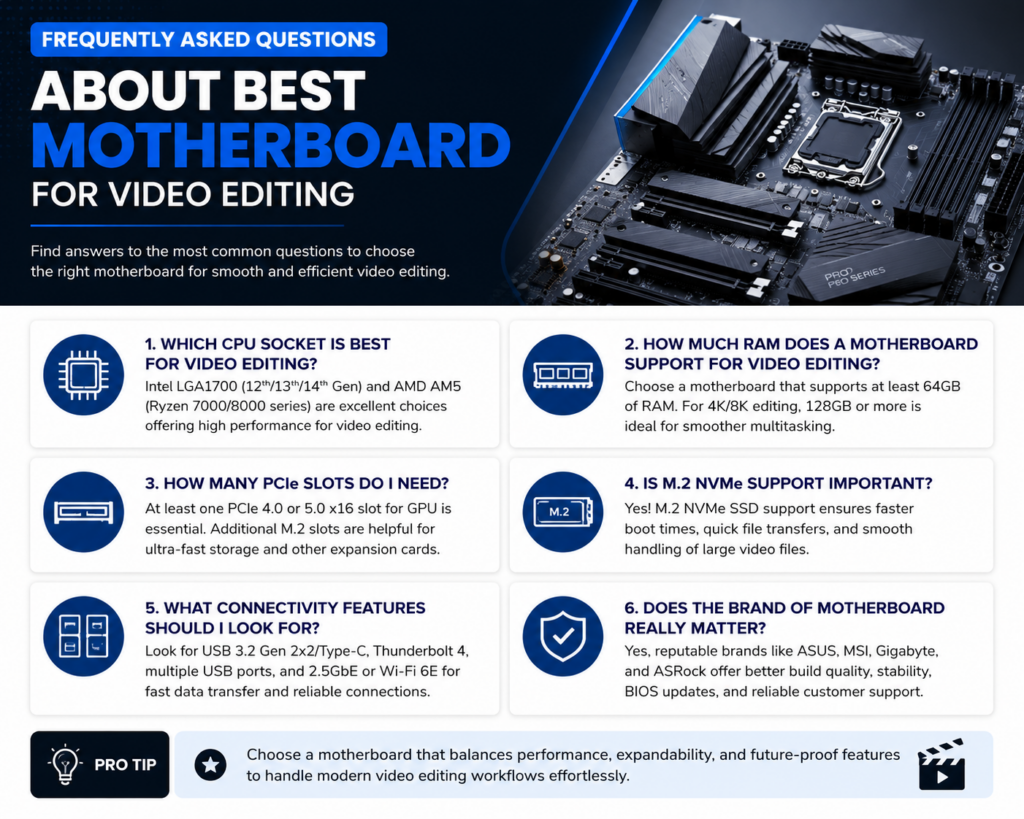
Q1. Kya gaming motherboard video editing ke liye theek hai?
Haan, technically kaam karta hai. Lekin dedicated creator boards Thunderbolt 4, zyada M.2 slots, aur better VRM dete hain jo editing ke liye genuinely useful hai. Long term ke liye creator-focused board better investment hai.
Q2. DDR5 vs DDR4 — 2026 mein konsa choose karein?
DDR5 clear winner hai. Higher bandwidth aur lower power consumption — 4K/8K editing mein noticeable difference hota hai. DDR4 boards ab outdated hain, future upgrade bhi limited hoga.
Q3. Video editing ke liye kitna RAM chahiye?
32GB minimum hai. Professional 4K/8K workflow ke liye 64GB recommended hai. 3D rendering ya VFX ke saath kaam karte ho to 128GB tak jaana sensible hai.
Q4. Intel ya AMD — 2026 mein video editing ke liye konsa better hai?
Dono excellent hain. Intel Core Ultra 200 single-core tasks aur GPU acceleration mein slightly ahead hai. AMD Ryzen 9000 multi-core rendering aur value-for-money mein exceptional hai. CPU pehle choose karo, phir motherboard uske hisaab se.
Q5. Kya onboard Wi-Fi zaroori hai editing motherboard mein?
Agar aap wired LAN use karte hain to optional hai. Lekin modern boards mein WiFi 6E ya WiFi 7 hota hai — wireless file transfers aur cloud backup ke liye convenient hai. Recommended feature hai.
Conclusion: 2026 Ka Best Motherboard for Video Editing — Final Verdict
2026 mein best motherboard for video editing ki category mein sach mein bahut strong competition hai. Har budget par excellent options available hain — lekin ek short summary yeh hai:
- Best Overall Intel: ASUS ProArt Z890-CREATOR WIFI — professional-grade, no-compromise choice.
- Best Overall AMD: MSI MEG X870E ACE — AMD platform ka clear king.
- Best Premium Value: Gigabyte Z890 AORUS Master — flagship performance, reasonable price.
- Best Budget Flagship: ASRock X870E Taichi — best value-for-money option.
- Best Mid-Range: ASUS TUF B850-PLUS WIFI — beginners aur growing creators ke liye perfect.
- Best Entry Budget: MSI PRO Z890-S WiFi — tight budget mein strong Intel option.
Ultimately, best motherboard for video editing woh hai jo aapke CPU ke saath compatible ho, aapki RAM aur storage needs support kare, aur aapki editing workflow ko genuinely fast aur smooth banaye. Upar diye gaye kisi bhi board ko choose karo — aap galat nahi jaoge.
Is guide ko apne fellow creators aur editing enthusiasts ke saath share karo. Unhe bhi help karo apna dream editing setup build karne mein. Happy editing aur happy creating — 2026 mein!