 admin
admin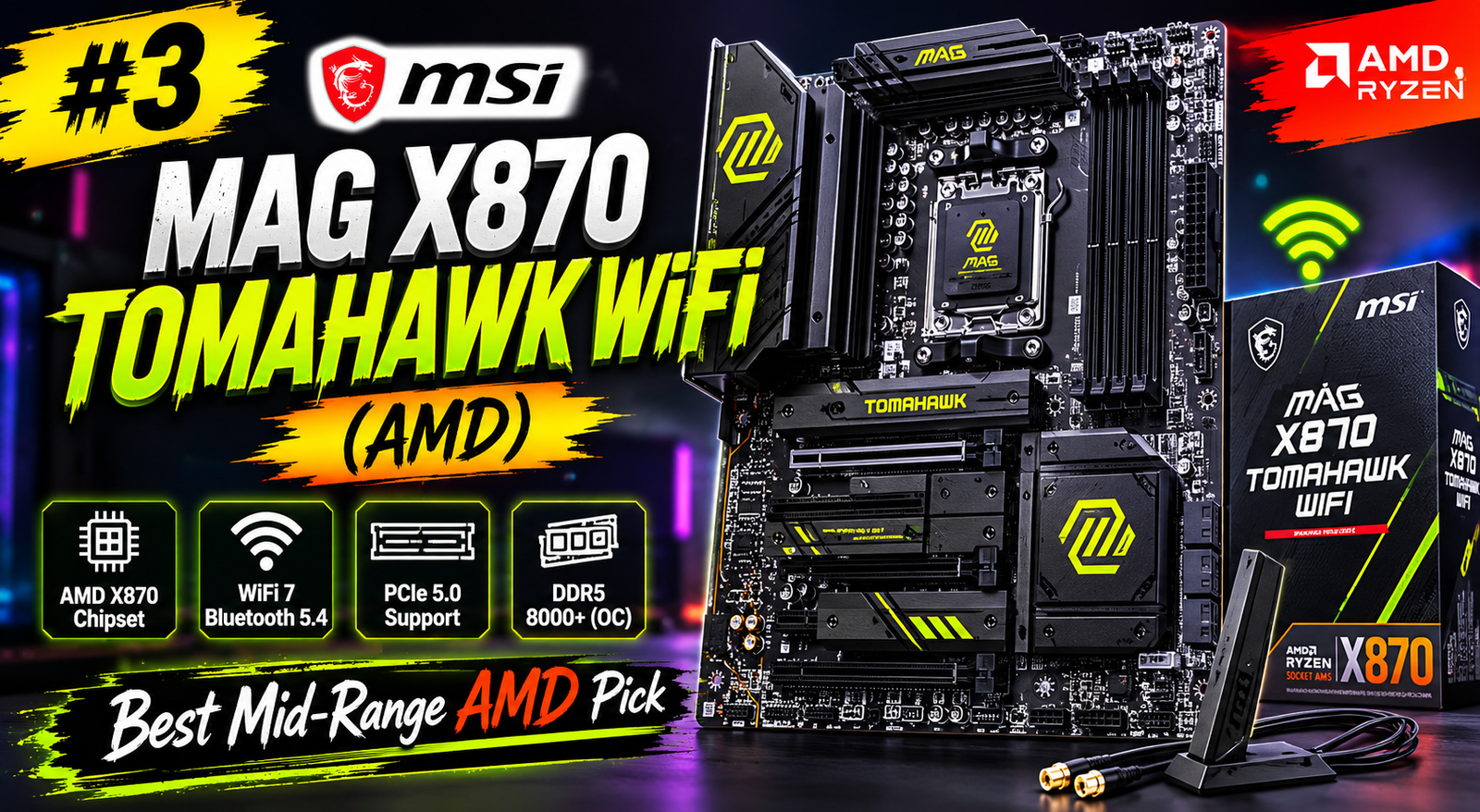
Agar aap 2026 mein ek killer gaming PC build karna chahte hain, toh sabse pehle jo cheez aapko decide karni hai woh hai aapka Best Gaming Motherboard. Bahut saare log sirf GPU aur CPU ko importance dete hain, lekin sach yeh hai ki ek kamzor motherboard aapke poore powerful setup ko barbaad kar sakta hai. VRM throttling, slow boot times, aur unstable overclocking — yeh sab tab hota hai jab motherboard sahi nahi hota.
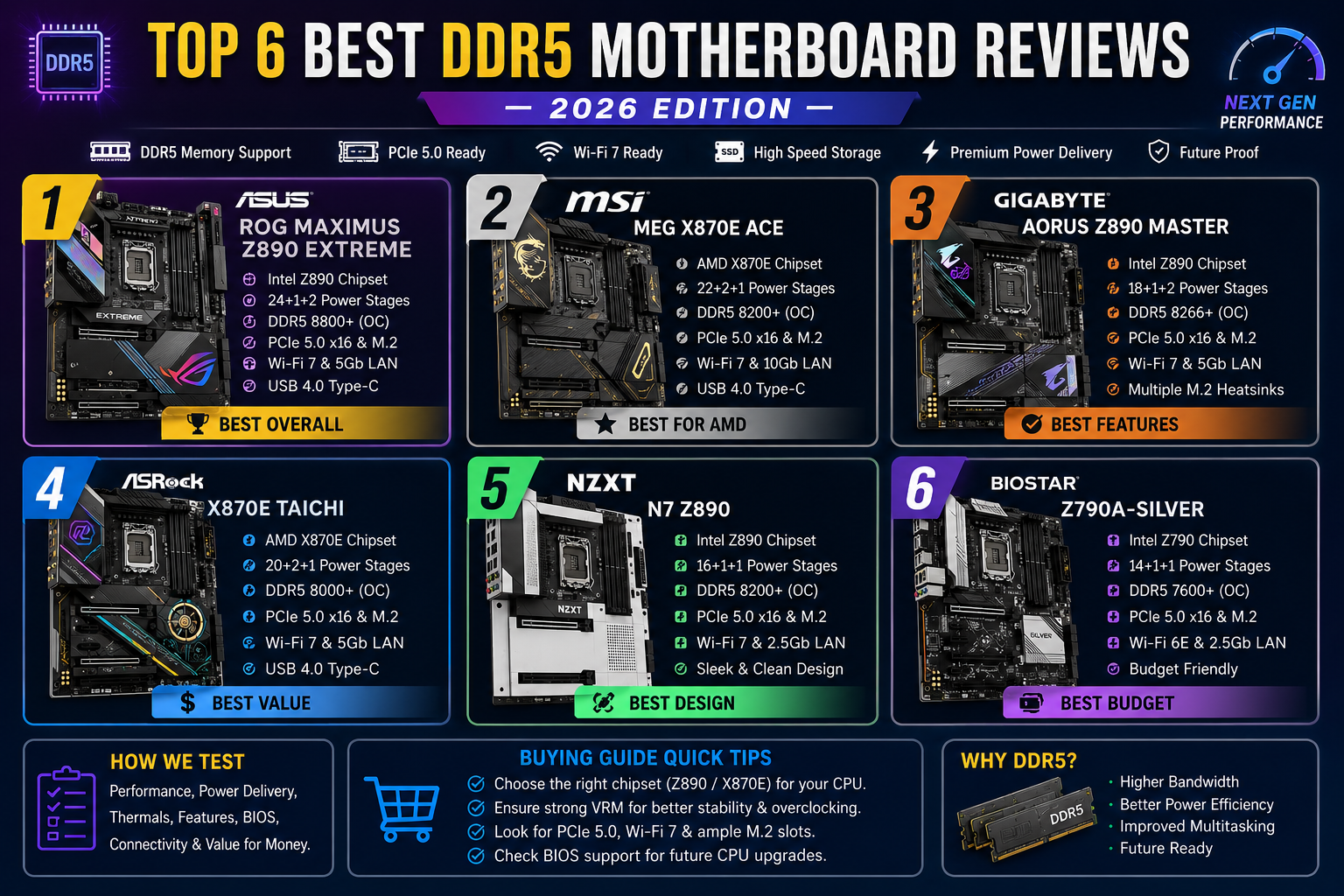
Is article mein hum aapko 2026 ke Top 7 Best Gaming Motherboards ke baare mein batayenge — unke features, pros-cons, aur kaun sa board kis budget ke liye best hai. Chahe aap Intel use karo ya AMD, budget gamer ho ya hardcore overclocker — yahan har kisi ke liye ek perfect option hai.
Motherboard Kyun Itna Important Hai?
Bahut saare beginners sochte hain ki motherboard sirf ek “connector piece” hai. Lekin reality mein, aapka Best Gaming Motherboard decide karta hai:
- CPU Performance: VRM quality se CPU kitni der tak full boost clock maintain karta hai
- RAM Speed: DDR5 overclocking aur EXPO/XMP support
- Storage Speed: PCIe 5.0 M.2 slots se ultra-fast SSD bandwidth
- Connectivity: WiFi 7, USB4, Thunderbolt — future-proof setup ke liye
- RGB aur Aesthetics: Aapke case ke andar ka look
Ek research study ke according, agar aapka motherboard VRM weak hai, toh ek Core i9 ya Ryzen 9 CPU 30 minutes intense gaming ke baad quietly throttle ho jaata hai — aur aapko pata bhi nahi chalta ki problem GPU mein hai ya board mein.
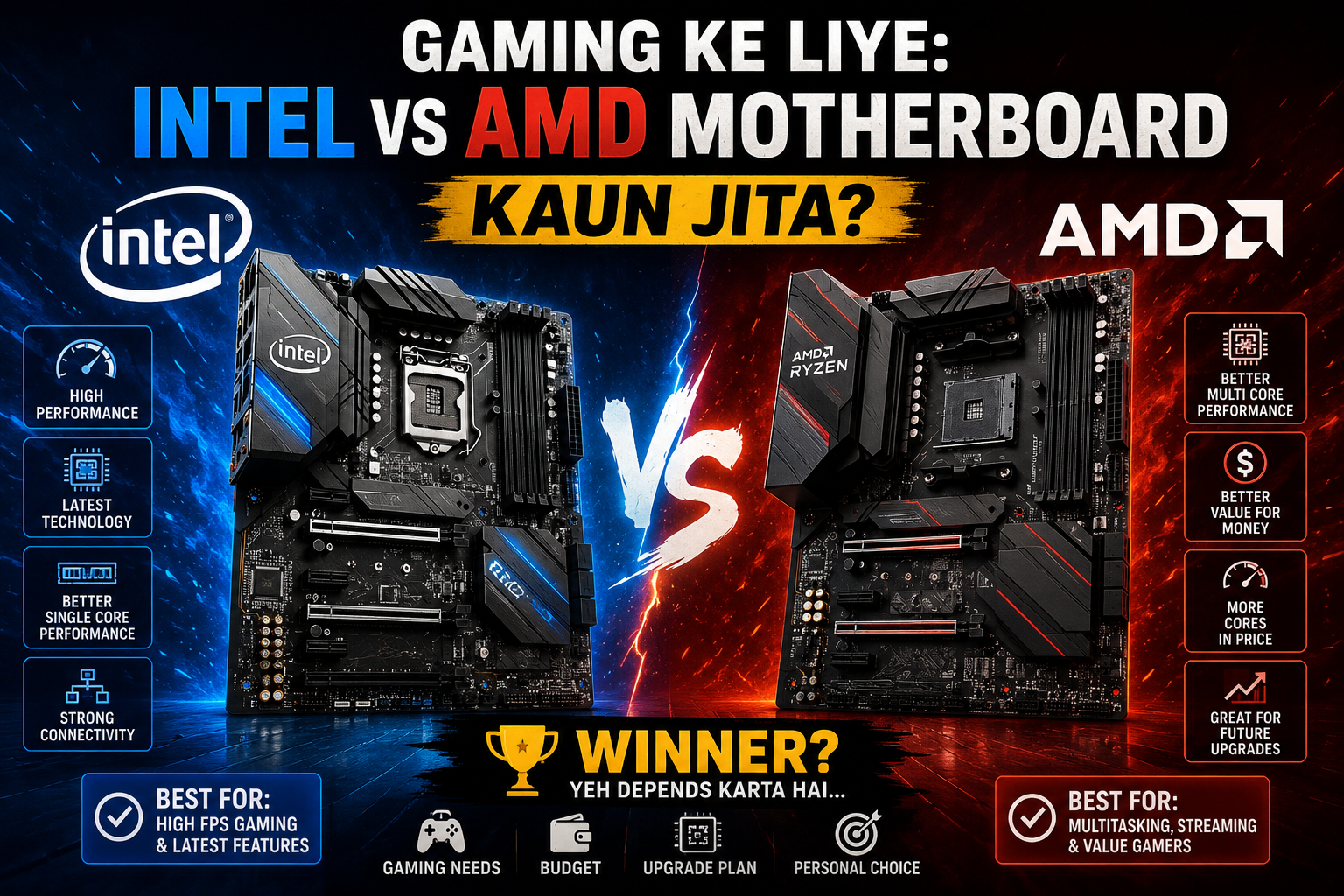
2026 Mein Kaunsa Platform Choose Karein — Intel Ya AMD?
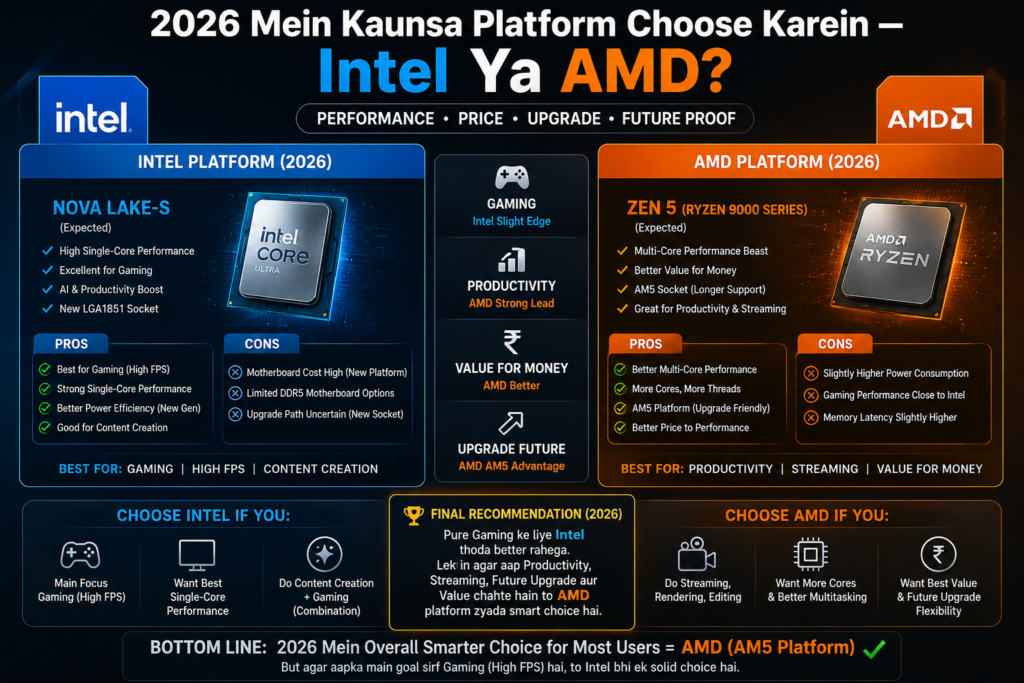
Intel ke liye: LGA1851 socket wale boards (Z890, B860 chipset) Intel Core Ultra 200 series ke liye best hain. Agar purana 12th/13th/14th Gen hai, toh LGA1700 boards (Z790, B760) kaam karenge.
AMD ke liye: AM5 socket wale boards (X870E, X870, B850 chipset) Ryzen 7000/8000/9000 series ke liye perfectly compatible hain. AMD ne publicly confirm kiya hai ki AM5 support 2027 tak guarantee hai — matlab aaj ka board future CPUs bhi support karega.
Ab chalte hain directly Top 7 picks par:
#1 — MSI MEG Z890 Godlike (Intel) | Best Premium Gaming Motherboard
Agar paisa koi problem nahi hai aur aap duniya ka best Intel board chahte hain, toh MSI MEG Z890 Godlike ko consider karein. Yeh ek E-ATX flagship board hai jo literally “godlike” features offer karta hai.
Key Features:
- 10GbE LAN + WiFi 7 for ultra-fast networking
- Thunderbolt 5 support — fastest data transfer available
- 8 M.2 sockets (4 PCIe 5.0 slots expansion card ke saath)
- Dynamic Dashboard III — 4-inch LCD built-in screen
- Sophisticated RGB lighting with clean design
- AI-powered EZ Mode BIOS
Price: ~$1,329 (Premium flagship)
Verdict: Yeh board un logon ke liye hai jo extreme overclocking, maximum connectivity aur ultimate aesthetics chahte hain. High-end content creators aur professional gamers ke liye it’s the Best Gaming Motherboard money can buy — Intel platform par.
#2 — ASUS ROG Strix X870E-E Gaming WiFi (AMD) | Best High-End AMD Board
AMD users ke liye, ASUS ROG Strix X870E-E 2026 ka ek top contender hai. Yeh board Ryzen 7 9800X3D jaisi powerful CPUs ke liye perfect partner hai.
Key Features:
- PCIe 5.0 + DDR5 full support
- WiFi 7 + dual USB4 ports
- AI Overclocking aur AI Cooling II technology
- Powerful VRM system — 68°C tak temperature peak during Prime95 stress test
- DDR5-6400 speeds easily achievable
- RGB dragon design on I/O panel shield — stunning looks
- Aura Sync lighting integration
Price: ~$350–$450
Verdict: Agar aap AMD platform par serious gaming rig banana chahte hain aur budget hai, toh yeh Best Gaming Motherboard AMD gamers ke liye clearly hai. Performance aur features ka combination unbeatable hai.
#3 — MSI MAG X870 Tomahawk WiFi (AMD) | Best Mid-Range AMD Pick
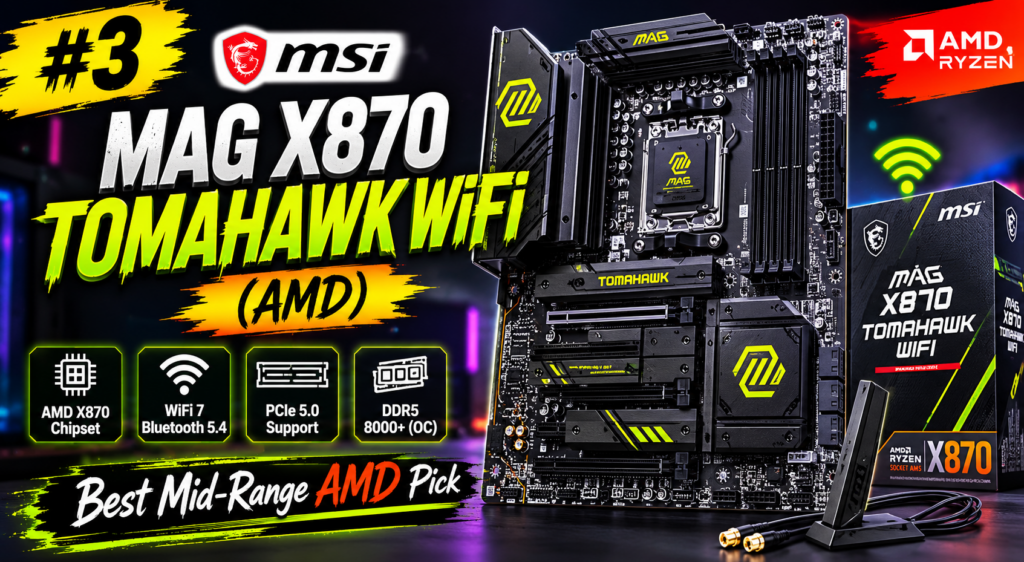
Mid-range AMD segment mein MSI MAG X870 Tomahawk WiFi ko PC Gamer ne bhi top pick diya hai. Yeh board “coveted top pick” position hold karta hai competition mein.
Key Features:
- AMD X870 chipset with AM5 socket
- PCIe 5.0 x16 for GPU + M.2 PCIe 5.0 storage
- WiFi 7 connectivity
- Strong VRM for Ryzen overclocking
- EXPO memory profile support
- Solid build quality aur great BIOS experience
Price: ~$200–$250
Verdict: Ryzen 7 9700X ya Ryzen 9000 series ke saath pair karo aur aapko ek beast mid-range setup milega. Value-for-money ke hisaab se yeh 2026 ka Best Gaming Motherboard mid-range category mein hai.
#4 — Gigabyte Z890 Aorus Master (Intel) | Best for Core Ultra Gamers
Intel ke Core Ultra 200 series processors ke liye Gigabyte Z890 Aorus Master ek powerhouse option hai. LGA1851 socket par yeh board extreme pressure mein bhi cool aur stable rehta hai.
Key Features:
- Incredible VRM design — stays cool under extreme load
- WiFi 7 support for ultra-fast wireless
- PCIe 5.0 for latest GPUs aur SSDs
- DDR5 memory with CUDIMM support (6400MHz+ possible)
- Advanced thermal guards for M.2 SSDs
- Premium build quality
Price: ~$400–$500
Verdict: Intel gamers ke liye jo Core Ultra platform par move kar rahe hain, yeh arguably 2026 ka Best Gaming Motherboard Intel side par hai — especially agar aap heavy overclocking aur maximum bandwidth chahte hain.
#5 — Gigabyte Z890 Aorus Pro Ice (Intel) | Best Looking Mid-High Board
Agar aap white aesthetic PC build kar rahe hain toh Gigabyte Z890 Aorus Pro Ice aapki list mein zaroor hona chahiye. Yeh board looks aur performance dono mein deliver karta hai.
Key Features:
- All-white PCB, heatsinks aur sockets — stunning snow aesthetic
- 3x PCIe Gen 5 x4 M.2 slots with heatsinks
- Full-speed PCIe Gen 5 x16 for GPU
- Easy GPU release latch system
- RGB lighting under Aorus logo
- Price drop ke baad excellent value
Price: ~$280–$360
Verdict: White case builders ke liye yeh Best Gaming Motherboard aesthetics ke saath performance bhi deta hai. Agar RGB aur clean build aapki priority hai, yeh perfect choice hai.
#6 — ASUS TUF Gaming B650-Plus WiFi (AMD) | Best Budget AMD Board
Har koi $400+ spend nahi kar sakta. ASUS TUF Gaming B650-Plus WiFi un gamers ke liye hai jo Ryzen 7000/8000/9000 series CPU use karna chahte hain — bina bank account khaali kiye.
Key Features:
- DDR5 support with EXPO profiles
- PCIe 5.0 for GPU bandwidth
- WiFi 6E connectivity
- Compatible with AMD Ryzen 7000, 8000, aur 9000 series
- Military-grade TUF components for durability
- Good cooling headers aur fan control
Price: ~$150–$200
Verdict: Budget-conscious gamers ke liye yeh Best Gaming Motherboard AMD platform par hai. Performance vs price ratio mein yeh board simply unbeatable hai 2026 mein.
#7 — ASRock B760M Steel Legend WiFi (Intel) | Best Budget Intel mATX Pick
Intel side par budget gaming ke liye ASRock B760M Steel Legend WiFi ek solid aur reliable choice hai. Yeh Micro-ATX form factor mein excellent features deliver karta hai.
Key Features:
- 3x M.2 NVMe slots
- Bright RGB lighting — great looks for budget board
- WiFi included
- eDP port — ASRock’s 13.3-inch Side Panel Kit support
- Intel i9-13900K bhi handle karta hai — even with power limits raised
- Affordable ~$160 price point
Verdict: Agar aap Intel platform par compact aur affordable build chahte hain toh yeh Best Gaming Motherboard budget category mein aapki best bet hai. RGB bhi mila, performance bhi — at a price jo sabhi afford kar sakte hain.
Motherboard Kharidne Se Pehle Kya Check Karein?
Yeh 7 boards dekhne ke baad, kuch important buying tips:
1. CPU Compatibility Pehle Check Karo
Sabse pehla rule — CPU aur motherboard socket match karna chahiye. Intel Core Ultra 200 = LGA1851. Intel 12/13/14 Gen = LGA1700. AMD Ryzen 7000+ = AM5.
2. Form Factor Ka Khayal Rakho
Standard ATX most common hai. mATX compact builds ke liye hai. Mini-ITX smallest builds ke liye — lekin features limited hote hain.
3. RAM Type — DDR4 Ya DDR5?
2026 mein DDR5 standard ban chuka hai. Agar future-proof setup chahiye toh DDR5 motherboard lo. DDR4 sirf budget rebuilds ke liye theek hai.
4. VRM Quality — Sabse Underrated Factor
Ek strong VRM ensure karta hai ki CPU puri gaming session mein full speed par chale. Weak VRM = CPU throttling = lower FPS. Yeh check karna bahut zaroori hai.
5. Overclocking Plans?
Agar overclock karna hai toh Intel ke liye Z890 chahiye (B860 par CPU OC nahi hoti). AMD ke liye B850 par bhi CPU overclocking possible hai — yeh Intel ke B-series se alag advantage hai.
6. Storage Aur Connectivity
Multiple M.2 slots, SATA ports, USB ports, aur WiFi version check karo. 2026 mein WiFi 7 aur USB4 best future-proofing options hain.
Quick Comparison Table
| Board | Platform | Chipset | Price | Best For |
|---|---|---|---|---|
| MSI MEG Z890 Godlike | Intel | Z890 | ~$1,329 | Ultimate Flagship |
| ASUS ROG Strix X870E-E | AMD | X870E | ~$400 | High-End AMD |
| MSI X870 Tomahawk WiFi | AMD | X870 | ~$230 | Mid-Range AMD |
| Gigabyte Z890 Aorus Master | Intel | Z890 | ~$450 | Core Ultra Intel |
| Gigabyte Z890 Aorus Pro Ice | Intel | Z890 | ~$310 | White Builds |
| ASUS TUF B650-Plus WiFi | AMD | B650 | ~$175 | Budget AMD |
| ASRock B760M Steel Legend | Intel | B760 | ~$160 | Budget Intel |
Final Verdict — Aapke Liye Best Option Kaunsa Hai?
Yeh decide karna mushkil nahi hai agar aap apna use case jaante hain:
- Extreme Performance chahiye? → MSI MEG Z890 Godlike ya ASUS ROG Strix X870E-E
- AMD Mid-Range Gaming? → MSI X870 Tomahawk WiFi
- Intel Core Ultra Build? → Gigabyte Z890 Aorus Master
- White Aesthetic Build? → Gigabyte Z890 Aorus Pro Ice
- Budget AMD Gaming? → ASUS TUF B650-Plus WiFi
- Budget Intel Compact Build? → ASRock B760M Steel Legend
2026 mein Best Gaming Motherboard woh nahi hai jo sabse zyada ports wala ho ya sabse zyada RGB wala ho. Best board woh hai jo aapke CPU ko poori gaming session mein stable aur full speed par rakhe, future upgrades support kare, aur aapke budget mein fit ho.
Frequently Asked Questions (FAQ)
Q: Kya 2026 mein DDR5 zaroori hai? A: Haan, DDR5 ab industry standard ban chuka hai. High-end builds ke liye DDR5-6000 ya faster RAM best performance deta hai. Budget builds mein DDR4 abhi bhi kaam karta hai.
Q: AMD ya Intel — 2026 mein kaun better hai gaming ke liye? A: Gaming FPS ke liye AMD Ryzen 9 7800X3D/9800X3D abhi bhi top pick hai 3D V-Cache technology ki wajah se. Intel Core Ultra bhi competitive hai — especially productivity aur AI tasks mein.
Q: Kya B-series boards par overclocking hoti hai? A: Intel B860 par CPU ratio OC nahi hoti, lekin RAM overclocking hoti hai. AMD B850 par full CPU overclocking supported hai — jo Intel ke mukable ek advantage hai.
Q: Kaunsa chipset sabse future-proof hai? A: AMD AM5 platform 2027 tak officially support guaranteed hai. Intel LGA1851 bhi nayi CPU generations ke liye ready hai. Dono platforms solid future-proof choices hain 2026 mein.
Conclusion: Gaming PC build karna ek exciting journey hai, aur sahi Best Gaming Motherboard chunna us journey ka sabse important step hai. Upar diye gaye 7 boards mein se apne budget aur CPU choice ke hisaab se best option select karo — aur apna dream gaming rig banana shuru karo. Happy Gaming! 🎮