 admin
admin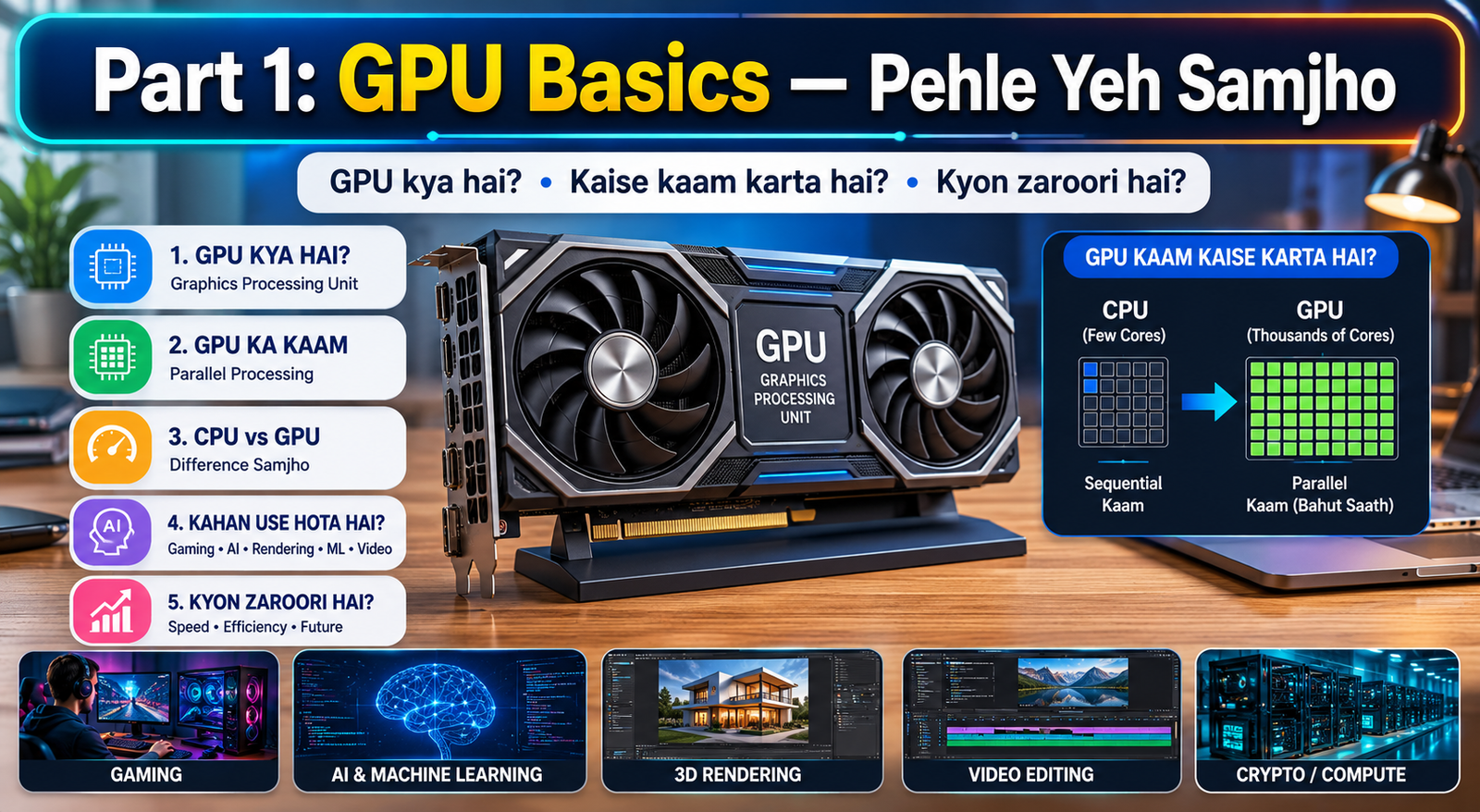
Introduction: GPU Kharidna Itna Confusing Kyun Lagta Hai?
Aap GPU khareedne gaye, aur ek screen pe dikha — RTX 4070 Ti Super, RX 7800 XT, Arc B580, GDDR6X, TDP 285W, PCIe 4.0 x16 — aur aap wapas aa gaye bina kuch kharide.
Yeh har doosre insaan ke saath hota hai jo pehli baar Graphics Card Buying Guide dhundhta hai. Technical terms ki baarish, ek doosre ko overlap karte models, aur manufacturers ke bade bade claims — sab milake confusion ka ek perfect toofan bana dete hain.
Isliye aaj hum laaye hain yeh complete Graphics Card Buying Guide — jisme hum step by step samjhayenge ki GPU kya hota hai, kaun se specs actually matter karte hain, aur aapke budget ke liye exact recommendation kya hogi. Yeh guide un logon ke liye hai jo gaming setup banana chahte hain, content creation karna chahte hain, ya phir AI/ML projects run karna chahte hain.
Toh chal shuru karte hain — bina kisi confusion ke, bilkul seedha point pe.
Part 1: GPU Basics — Pehle Yeh Samjho
GPU Aur Graphics Card Mein Kya Fark Hai?
Bahut log “GPU” aur “Graphics Card” ko same samajhte hain — technically thoda fark hai.
GPU (Graphics Processing Unit) woh actual chip hai jo calculations karta hai — jaise NVIDIA ka GA102 chip ya AMD ka Navi 31 chip.
Graphics Card poori assembly hai — GPU chip + VRAM + cooling system + PCIe connector + power connectors + display outputs. Jab aap Graphics Card Buying Guide follow karke koi card kharidein, toh aap actually poori assembly kharid rahe hain.
Lekin daily use mein dono terms interchangeable use hote hain — aur yeh guide bhi isi tarah use karegi.
Graphics Card Kyun Zaroori Hai?
Aapke CPU mein jo integrated graphics hoti hai woh basic kaam ke liye theek hai — YouTube dekhna, documents banana, video calls. Lekin jab baat aati hai:
- Gaming — high frame rates aur realistic visuals
- Video Editing — 4K footage export karna quickly
- 3D Rendering — Blender, Maya, Cinema 4D
- AI/ML — neural network training
- Live Streaming — NVENC ya AMF hardware encoding
…tab aapko ek dedicated Graphics Card chahiye hi chahiye. Aur iske liye ek solid Graphics Card Buying Guide follow karna zaroori hai.
Part 2: Woh 7 Specs Jo Actually Matter Karte Hain
Yeh section is puri Graphics Card Buying Guide ka sabse important hissa hai. Agar aap yeh 7 cheezein samajh lo, toh koi bhi salesperson ya YouTube reviewer aapko confuse nahi kar payega.
1. VRAM — Video Memory
VRAM woh memory hai jo GPU use karta hai textures, game assets, aur rendering data store karne ke liye. Jitna zyada VRAM, utne bade aur complex tasks handle ho sakte hain.
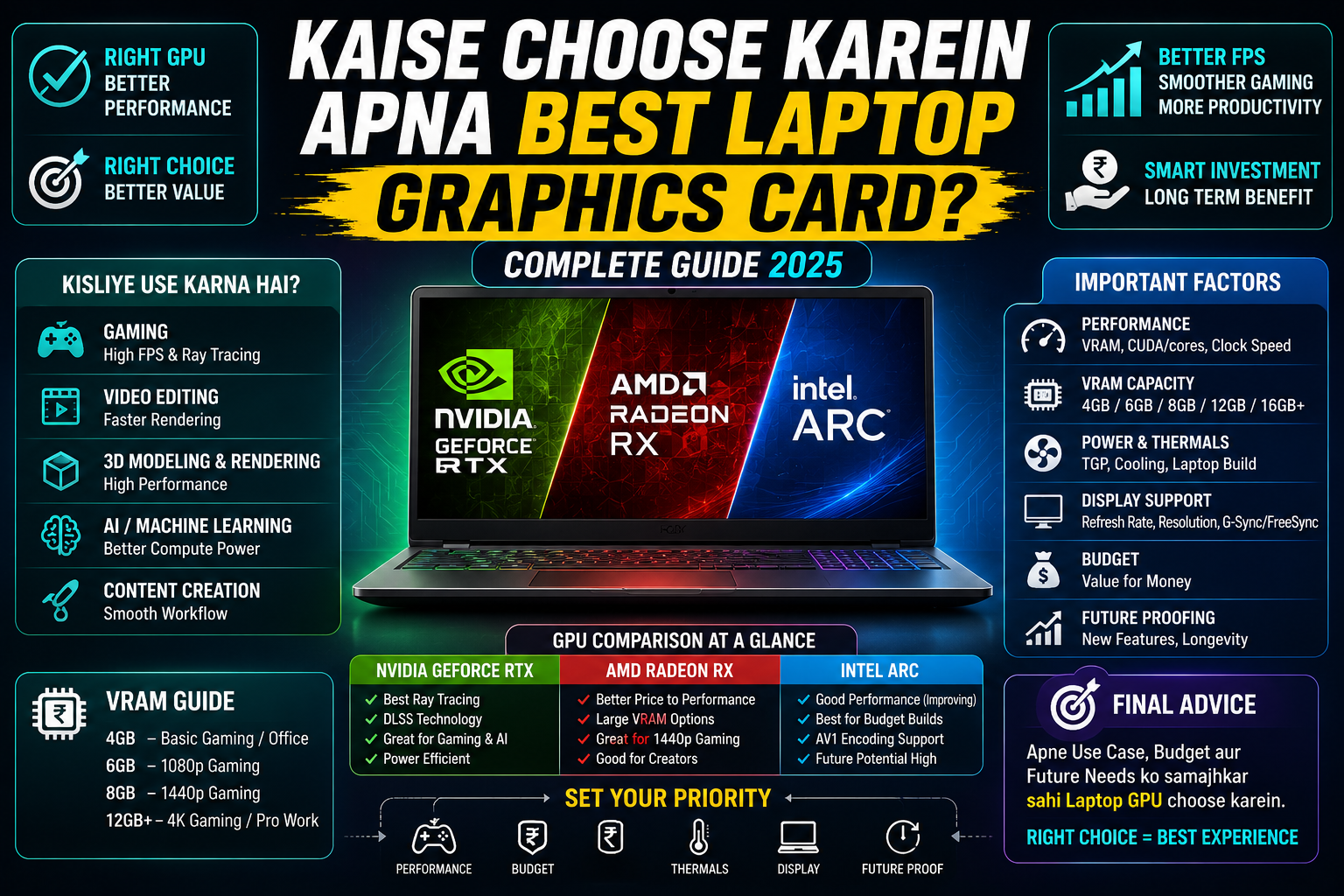
2025 mein minimum recommendations: – 1080p Gaming: 8GB VRAM – 1440p Gaming: 10GB – 12GB VRAM – 4K Gaming / Content Creation: 16GB+ VRAM – AI/ML Work: 24GB+ VRAM
Ek Graphics Card Buying Guide ka sabse important rule: Kabhi bhi VRAM pe compromise mat karo. Aaj 6GB theek lagta hai, 2 saal baad wahi 6GB bottleneck ban jaata hai.
2. Memory Bandwidth
VRAM kitna bhi zyada ho, agar data GPU chip tak fast nahi pohonchta toh koi fayda nahi. Memory bandwidth measure karta hai ki GPU apni memory se ek second mein kitna data process kar sakta hai — GB/s mein.
Higher bandwidth = smoother gaming, faster rendering, better AI performance. GDDR6X memory GDDR6 se faster hoti hai is parameter mein.
3. TDP (Thermal Design Power)
TDP batata hai ki GPU kitna power consume karta hai — watts mein. High-end GPUs 300W–450W tak consume karte hain. Isliye is Graphics Card Buying Guide mein hum specifically recommend karte hain ki GPU khareedne se pehle apna Power Supply Unit (PSU) check karo.
Rule of thumb: GPU ka TDP + baaki system ka power consumption + 20% buffer = aapki minimum PSU wattage.
4. CUDA Cores / Stream Processors / Shader Units
Yeh GPU ke andar ke processing cores hain. NVIDIA mein inhe CUDA Cores kehte hain, AMD mein Stream Processors. More cores generally better performance — but sirf cores count mat karo, architecture bhi matter karta hai.
Ek purana GPU jiske 5000 cores hain woh naye GPU ke 3000 cores se slow ho sakta hai — kyunki architecture improve ho jaata hai. Is liye Graphics Card Buying Guide mein hum actual benchmark performance ko raw core count se zyada importance dete hain.
5. Clock Speed
GPU ka boost clock speed GHz mein measure hota hai. Higher clock = faster processing per core. Lekin phir wahi baat — architecture aur overall design zyada matter karta hai sirf clock speed se.
6. PCIe Generation aur Slot
Aaj ke sabse new GPUs PCIe 4.0 use karte hain, kuch PCIe 5.0. Aapka motherboard compatible hona chahiye. Agar naya GPU hai aur purana motherboard hai PCIe 3.0 ka, card chalega lekin thodi performance loss hogi — generally 5-10% — jo zyada cases mein noticeable nahi hoti.
7. Display Outputs
HDMI 2.1 aur DisplayPort 2.1 latest standards hain. 4K 144Hz display ke liye HDMI 2.1 ya DP 1.4 + DSC zaroori hai. Is Graphics Card Buying Guide mein hum recommend karte hain ki apna monitor bhi check karo ki woh kaunsa input support karta hai.
Part 3: NVIDIA vs AMD vs Intel — Kaun Hai Better?
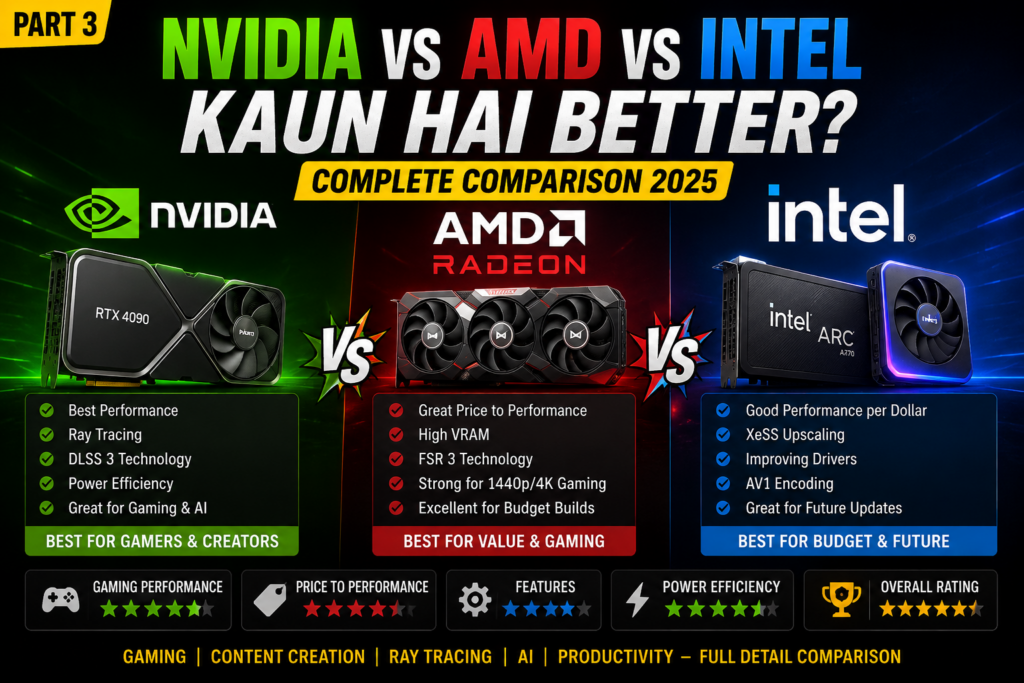
Yeh sabse zyada poochha jaane wala sawaal hai har Graphics Card Buying Guide mein. Seedha jawab dete hain:
NVIDIA — Premium Performance, Premium Price
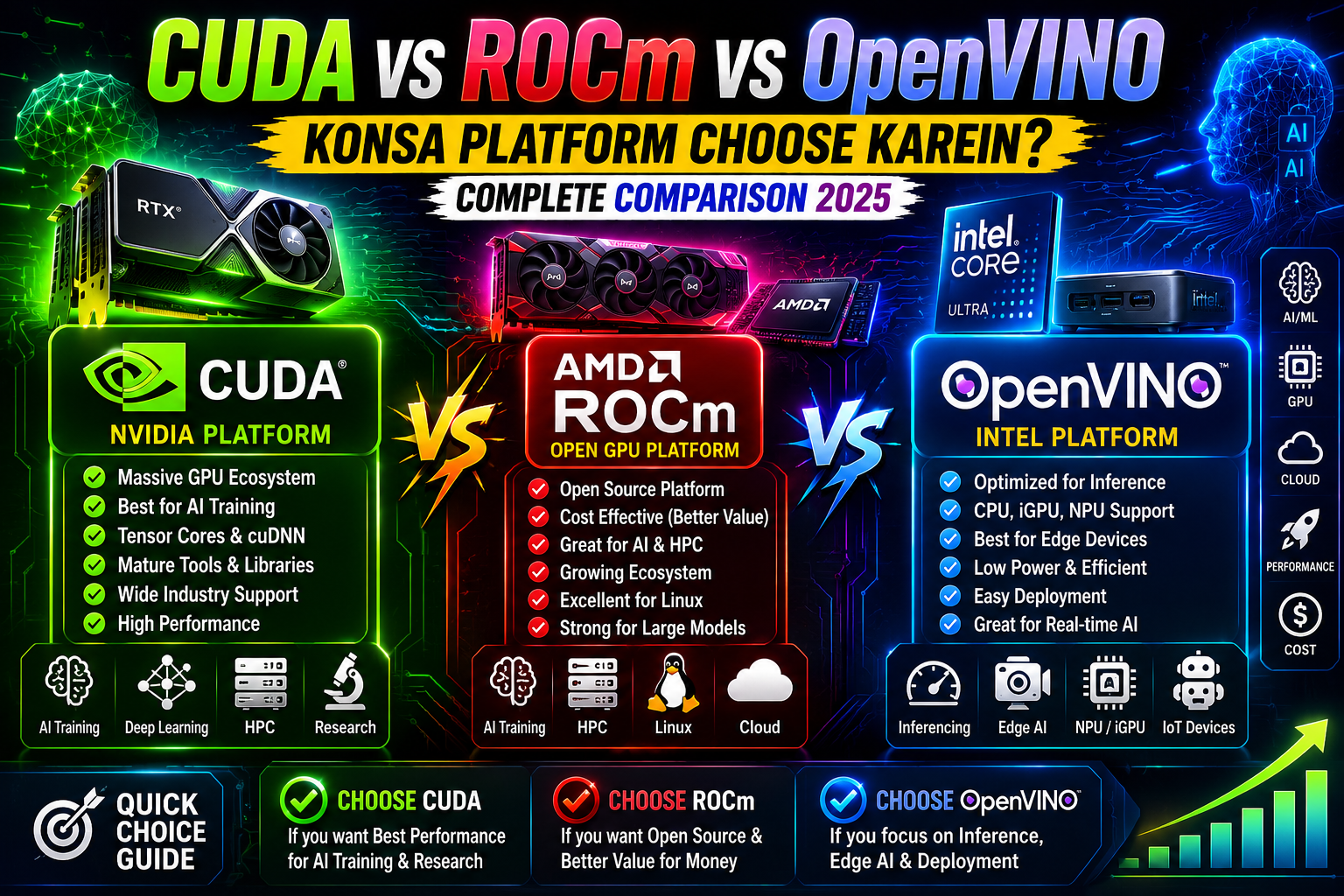
Pros: – DLSS 3 (AI-powered upscaling) — best in class – Ray Tracing performance best hai – CUDA ecosystem for AI/ML — industry standard – NVENC encoder — streaming ke liye excellent – Widest software compatibility
Cons: – Price premium hoti hai AMD se – Kuch mid-range cards mein VRAM thodi kam dete hain
Best for: Gamers who want max FPS, content creators, AI developers
AMD — Best Value, Open Source Friendly
Pros: – Price-to-performance mein often better than NVIDIA – Higher VRAM at same price point – Open-source drivers — Linux pe great – FSR 3 — works on any GPU (not just AMD) – Radeon Anti-Lag aur other gaming features
Cons: – Ray tracing NVIDIA se thoda behind – ROCm (AI platform) CUDA se less mature – Driver quality historically less consistent (improved a lot in 2024-25)
Best for: Value seekers, Linux users, gamers on a budget
Intel Arc — Budget Ka Dark Horse
Pros: – Price mein bahut competitive – High VRAM at budget price – XeSS upscaling technology achhi hai – DX12 aur Vulkan titles mein strong performance
Cons: – Older DX11 games mein weak – Smaller ecosystem – Driver support naya hai, kuch games mein issues
Best for: Absolute beginners, tight budgets, modern game players
Kisi bhi Graphics Card Buying Guide ka honest conclusion yahi hai: NVIDIA overall best ecosystem hai, AMD best value hai, Intel best budget hai.
Part 4: Budget-Wise Complete GPU Recommendations 2025
Yeh section is Graphics Card Buying Guide ka dil hai. Har budget range ke liye best picks:
Budget 1: Rs. 15,000 – Rs. 25,000 — Entry Level
Best Pick: Intel Arc B570 / AMD RX 6600
Agar aap basic gaming shuru kar rahe hain — Valorant, CS2, GTA V, Minecraft — toh yeh range kaafi hai.
- Intel Arc B570: 10GB VRAM, XeSS support, modern game performance good
- AMD RX 6600: 8GB VRAM, solid 1080p gaming, mature drivers
Avoid karo: Is range mein NVIDIA ke options generally weak VRAM dete hain.
What to expect: 1080p gaming at medium-to-high settings, 60-100fps in most games.
Budget 2: Rs. 25,000 – Rs. 45,000 — Mid Range Sweet Spot
Best Pick: AMD RX 7600 XT / NVIDIA RTX 4060
Yeh range is Graphics Card Buying Guide mein sabse popular segment hai — kyunki yahan sahi value milti hai.
- AMD RX 7600 XT: 16GB VRAM, excellent 1080p, decent 1440p
- NVIDIA RTX 4060: 8GB VRAM, DLSS 3 support, NVENC streaming encoder, power efficient
Verdict: AMD zyada VRAM deta hai, NVIDIA better features deta hai. Agar streaming karte ho ya AI use karte ho — RTX 4060. Agar sirf gaming — RX 7600 XT.
What to expect: Smooth 1080p at ultra settings, playable 1440p.
Budget 3: Rs. 45,000 – Rs. 80,000 — Upper Mid Range
Best Pick: AMD RX 7700 XT / NVIDIA RTX 4060 Ti 16GB
Is range mein 1440p gaming ek comfortable reality ban jaati hai.
- AMD RX 7700 XT: 12GB VRAM, great rasterization, strong 1440p
- RTX 4060 Ti 16GB: 16GB VRAM, DLSS 3, excellent for content creation + gaming combo
This is the range jo is Graphics Card Buying Guide mein hum most users ke liye recommend karte hain. Na bahut sasta, na bahut mehenga — aur performance genuinely impressive hai.
What to expect: High 1440p gaming, light 4K gaming, video editing.
Budget 4: Rs. 80,000 – Rs. 1,30,000 — High End
Best Pick: AMD RX 7800 XT / NVIDIA RTX 4070
Yeh range serious gamers aur content creators ke liye hai.
- AMD RX 7800 XT: 16GB VRAM, excellent 1440p, competitive 4K
- NVIDIA RTX 4070: 12GB VRAM, DLSS 3, ray tracing capable, best driver support
What to expect: Ultra 1440p aur smooth 4K gaming in most titles.
Budget 5: Rs. 1,30,000 – Rs. 2,00,000 — Enthusiast Level
Best Pick: NVIDIA RTX 4070 Ti Super / AMD RX 7900 GRE
Agar aap no-compromise 1440p ya solid 4K chahte hain, yahan aao.
- RTX 4070 Ti Super: 16GB GDDR6X, near-flagship performance, DLSS 3.5
- RX 7900 GRE: 16GB VRAM, excellent rasterization, value AMD flagship
What to expect: Maxed-out 1440p, high-settings 4K gaming.
Budget 6: Rs. 2,00,000+ — No Compromise
Best Pick: NVIDIA RTX 4080 Super / RTX 4090
Is Graphics Card Buying Guide mein yeh range unke liye hai jo sirf best chahiye — price parwah nahi.
- RTX 4080 Super: 16GB GDDR6X, near 4090 performance, slightly lower price
- RTX 4090: 24GB GDDR6X, absolute king of consumer GPUs, 4K 144fps capable
What to expect: 4K ultra gaming, professional content creation, LLM fine-tuning, live 8K streaming.
Part 5: GPU Kharidne Se Pehle Yeh 5 Cheezein Check Karo
Koi bhi Graphics Card Buying Guide tab tak complete nahi hoti jab tak compatibility checklist na ho:
Check 1: PSU (Power Supply) GPU ka TDP dekho. Agar GPU 300W TDP hai, aur baaki system 150W consume karta hai, toh minimum 550-600W PSU chahiye — 80+ Bronze ya better certification ke saath.
Check 2: PCIe Slot Motherboard mein PCIe x16 slot hona chahiye. Saath check karo ki PCIe generation compatible hai. Almost sabhi modern motherboards compatible hain — but purani motherboards mein double check karo.
Check 3: Physical Size (Length) High-end GPUs 33-36cm tak lambe hote hain. Apna PC cabinet ka maximum GPU length check karo — manufacturer specifications mein clearly likha hota hai.
Check 4: Cooling aur Airflow GPU powerful hoga toh heat bhi zyada produce karegi. Cabinet mein proper airflow hona chahiye — front intake fans, rear exhaust fan. Agar airflow poor hai toh GPU performance throttle ho jaayega.
Check 5: Display Connectivity Naye GPU ke output ports — HDMI 2.1 ya DisplayPort — apne monitor ke inputs se match karne chahiye. 4K 144Hz monitor ke liye HDMI 2.1 ya DP 1.4 dono necessary hain.
Part 6: New GPU vs Used GPU — Kya Kharidna Chahiye?
Yeh ek aisa topic hai jo bahut log avoid karte hain lekin ek honest Graphics Card Buying Guide mein zaroor aana chahiye.
New GPU ke Fayde: – Full warranty (usually 3 years) – Latest drivers se day-one support – Koi wear-and-tear nahi – Return policy available
Used GPU ke Fayde: – Same performance mein 30-50% kam price – Last-gen flagships (RTX 3090, RX 6900 XT) affordable ho jaate hain – Good deal mein bahut value milti hai
Used GPU kharidne ke risks: – Mining ke liye use hua ho sakta hai — VRAM stressed hoti hai – Koi warranty nahi (mostly) – Return policy nahi
Used GPU kharidne ke tips: – Seller se GPU-Z screenshot maango — VRAM type aur sensor readings check karo – FurMark stress test results maango – Jaan-pehchaan se kharido jab bhi possible ho – Bahut saste deal se bachho — “too good to be true” almost always true hoti hai
Is Graphics Card Buying Guide ki recommendation: Agar budget tight hai toh last-gen high-end used GPU ek smart choice hai — but due diligence zaroor karo.
Part 7: Upscaling Technology — DLSS vs FSR vs XeSS
2025 mein GPU kharidna matlab upscaling technology bhi samajhna. Is Graphics Card Buying Guide mein hum teen main technologies explain karte hain:
NVIDIA DLSS 3.5 (Deep Learning Super Sampling) AI-powered upscaling hai jo NVIDIA ke Tensor Cores use karta hai. Quality best hai — native resolution se kaafi close. Frame Generation feature fps almost double kar deta hai. Sirf NVIDIA RTX cards pe kaam karta hai.
AMD FSR 3 (FidelityFX Super Resolution) Open-source upscaling hai jo kisi bhi GPU pe — NVIDIA, AMD, Intel, even integrated — kaam karta hai. Quality DLSS se thodi kam hai lekin kaafi acceptable hai. Frame Generation bhi add kiya gaya hai FSR 3 mein.
Intel XeSS (Xe Super Sampling) Intel ke Arc GPUs pe best performance deta hai lekin doosre GPUs pe bhi kaam karta hai. Quality DLSS aur FSR ke beech mein hai. DX12 titles mein particularly strong.
Recommendation: Agar max quality chahiye — NVIDIA DLSS wale GPU lo. Agar flexibility chahiye — AMD FSR kisi bhi GPU pe kaam karega.
Part 8: GPU Khareedne Ki 5 Common Galtiyan — Avoid Karo
Is Graphics Card Buying Guide mein hum honestly batana chahte hain woh mistakes jo log karte hain:
Galti 1: Sirf Model Number Dekh Ke Buy Karna “RTX 4070” sunke buy mat karo. Same GPU alag alag manufacturers ki taraf se alag cooling, alag clock speeds, alag warranties ke saath aata hai. ASUS TUF, MSI Gaming X Trio, Gigabyte Eagle — sab alag hain. Reviews padho specific model ke.
Galti 2: Upcoming GPU Ka Wait Karna “Next month naya GPU aayega” — yeh game kabhi khatam nahi hota. Agar aaj zarurat hai, aaj ka best option lo. Is Graphics Card Buying Guide ka rule: Agar deal achhi hai aur zarurat hai, buy karo.
Galti 3: Monitor Ko Ignore Karna RTX 4090 kharid liya aur monitor 60Hz 1080p hai — poori potential waste. GPU aur monitor ko match karo. 1440p 144Hz monitor ke liye RTX 4070-level GPU perfect hai.
Galti 4: Sirf Gaming Ke Liye Overspec Karna Agar sirf Valorant aur CS2 khelna hai toh RTX 4090 lena completely unnecessary hai. Is Graphics Card Buying Guide ka golden rule: Apne actual use case ke liye GPU choose karo, bragging rights ke liye nahi.
Galti 5: Warranty Ignore Karna GPU ek expensive purchase hai. 3-year warranty wala card thoda mehenga ho toh bhi prefer karo. GPUs fail hote hain — warranty ek real safety net hai.
Final Summary: Is Graphics Card Buying Guide Ka Essence
Agar aap poori guide padhne ke baad bhi confused hain, toh yeh short version yaad rakh lo:
Apna budget fix karo → apna primary use case identify karo (gaming/creation/AI) → VRAM requirements check karo → PSU aur cabinet compatibility verify karo → benchmark reviews padho specific model ke → buy karo.
Aur haan — koi “perfect GPU” nahi hota. Har GPU mein kuch trade-offs hain. Is Graphics Card Buying Guide ka asli goal yeh hai ki aap informed decision lo — na ki kisi ke words pe blindly trust karo.
GPU market 2025 mein better than ever hai. NVIDIA, AMD, aur Intel teeno strong options de rahe hain. Har budget ke liye ek GPU hai jo aapke kaam ko genuinely transform kar sakta hai. Bas sahi Graphics Card Buying Guide ke saath sahi decision lo — aur phir enjoy karo woh buttery smooth frames.
Frequently Asked Questions (FAQ)
Q: Pehli baar GPU kharidna — kahan se shuru karein? A: Is Graphics Card Buying Guide ke Part 4 se shuru karo. Apna budget fix karo aur use case identify karo. Baaki sab follow ho jaayega.
Q: NVIDIA RTX 4060 ya AMD RX 7600 XT — kaun better hai? A: Streaming karte ho ya AI use karte ho toh RTX 4060. Sirf gaming aur VRAM priority hai toh RX 7600 XT (16GB VRAM milta hai). Dono good choices hain is Graphics Card Buying Guide ke mutabik.
Q: Kya GPU upgrade karna itna zaroori hai? A: Agar aap 1080p pe 60fps se kam framerate pa rahe ho ya load times bahut zyada hain — haan, GPU upgrade worth it hai.
Q: Kitne saal chalta hai ek mid-range GPU? A: Ek mid-range GPU jaise RTX 4070 ya RX 7700 XT comfortably 4-5 saal tak relevant rehta hai agar aap 1440p pe khelna continue karte hain.
Q: Laptop GPU ya Desktop GPU — kaun better hai? A: Same price pe desktop GPU always more powerful hota hai. Laptop GPU portability ke liye hai, performance per rupee ke liye desktop better hai.